

Your dashboard shows everything is running perfectly. But are your listeners actually hearing what you think they’re hearing?
The Illusion of Internal Monitoring
Internal systems track technical metrics like encoder status, server resources, bandwidth, and connection counts. However, they miss critical listener-facing issues:
- Audio quality degradation
- Playback buffering and stuttering
- Geographic delivery problems
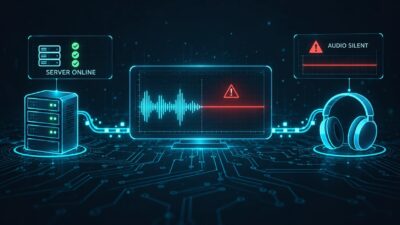
- Silent streams with active connections
- Actual listener experience
Real-World Scenarios
Scenario 1: The Silent Stream
A codec configuration error created silent audio while showing “Connected – Streaming.” External monitoring detected this in seconds and sent alerts immediately, reducing resolution time from 45 minutes to under 5 minutes.
Scenario 2: Geographic Delivery Failure
Internal US-based monitoring missed EU routing issues affecting European listeners, while multi-region monitoring highlighted the issue instantly.
The Listener Perspective
The critical insight: internal monitoring shows system performance; external monitoring shows what your audience experiences.
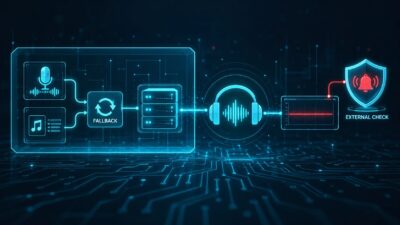
Audio travels through multiple network hops—encoder to server to ISP to backbone networks to CDN to local ISPs to listener devices. Only external monitoring validates this entire chain.
Components of Effective External Monitoring
Five essential elements:
- Actual Audio Analysis – Measures levels and detects silence, not just connections
- Multiple Monitoring Locations – Various countries, ISPs, and data centers
- Continuous Checks – 24/7 monitoring at 1-5 minute intervals
- Smart Alerting – Configurable thresholds with multiple notification channels
- Historical Data – Pattern tracking and performance analysis
Cost-Benefit Analysis
Monitoring costs: Free tier available; Pro starts at $9/month
Downtime costs per hour:
- $50-500 in lost ad revenue
- Listener churn (10-30%)
- Regulatory fines ($1,000-10,000+)
- Reputation damage
Example ROI for medium-sized station (5,000 simultaneous listeners):
- Annual monitoring cost: $108
- Prevented downtime: 2 hours/month
- Revenue per hour: $200
- Annual savings: $4,800
- ROI: 4,344%
How SilenceAlarm Monitors Externally
The platform monitors actual audio content, silence detection, real-time audio levels, stream availability from external networks, and metadata changes.
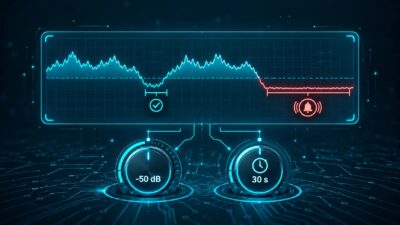
Monitoring occurs via external cloud servers connecting as listeners do, with continuous checks and multi-channel audio analysis. Alerts arrive via email, SMS, and push notifications with configurable silence thresholds.

The Complementary Approach
- Internal monitoring: Diagnose component failures, resource planning, detailed analysis
- External monitoring: Verify listener experience, early problem warnings, geographic validation
- Combined: Full visibility, faster problem identification, proactive prevention
Common Objections Addressed
“Our internal monitoring is good enough”
Connection checks miss audio quality issues. Your encoder might be connected, but sending silence.
“We’ll know from listener complaints”
By then, hundreds have experienced problems. External monitoring detects issues within seconds, not hours.
“External monitoring is too expensive”
Even minor prevented downtime pays for monitoring many times over. The math is clear.
Getting Started (Five Steps)
- Choose SilenceAlarm (purpose-built for audio streams)
- Configure stream URL, silence threshold, alert contacts
- Set up notifications for the right people
- Test to verify alerts work
- Monitor and use historical data for optimization
Conclusion
Internal monitoring verifies equipment function; external monitoring confirms listeners can hear you. The question isn’t whether you can afford external monitoring – it’s whether you can afford to broadcast without knowing what your listeners experience.