

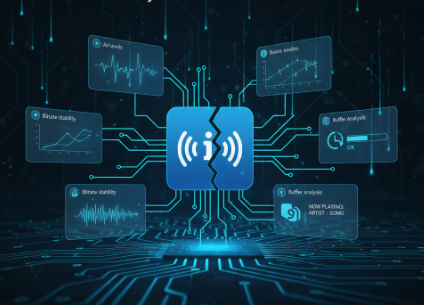
In the digital broadcast world, availability is the most important currency. A single moment of “dead air” can cost you listeners and advertisers. But professional Icecast monitoring goes far beyond a simple “server is reachable” check. What really matters is whether your stream continuously delivers audio, the bitrate remains stable, and metadata is up to date.
This article connects the key monitoring principles with the features of Silencealarm – ensuring your stream is not just “online” but truly audible.
Why Up/Down Checks Fall Short
A stream can appear online while actually being useless:
- The encoder sends data, but the audio level is zero
- Icecast delivers headers, but the buffer is unstable
- Metadata freezes even though music is playing
That’s why Silencealarm checks audio content + transport + metadata instead of just HTTP ping.
The Technical Layers Monitored by SilenceAlarm
1) Bitrate and Reachability
Silencealarm measures DNS and connection times, checks HTTP status, follows redirects, and reads Icecast headers. This helps you detect if:
- A DNS issue makes the stream unreachable
- Redirect chains increase latency
- The reported bitrate (ICY bitrate) deviates from the target
This prevents the classic error: “Server reachable, but no real delivery.”
2) Predictive Buffer Analysis
Icecast provides valuable buffer information – Silencealarm flags buffer too short or buffer too long. These signals appear before audible dropouts, serving as early warnings.
Result: You can react before listeners even notice.
3) Root-Cause Orientation Without Guesswork
When issues arise, Silencealarm provides direct diagnostic building blocks:
- DNS resolution and connection times
- Redirect history with status codes
- Stream headers and buffer status
This makes it clear whether the problem is in the network, the encoder, or the server – no more “searching in the dark.”
4) Metadata Harvesting
Silencealarm continuously extracts ICY/Now-Playing metadata. If the title gets stuck while audio continues, it’s often an automation error – not necessarily a streaming problem.
This helps you identify hidden issues that classic monitoring tools miss.
5) Granular Silence Thresholds
Silence isn’t always silence. Silencealarm allows configurable dB thresholds and duration values (e.g., -45 dB for 30 seconds) – including L/R channel analysis. This helps avoid false alarms with dynamic content like classical or ambient music.
Who Needs This?
- Broadcasters with ad pressure: Every outage costs money and reputation.
- Podcast networks: Availability determines platform rankings.
- Micro-broadcasters: Cloud monitoring gives you enterprise-level checks without hardware.
For larger setups, monitoring can be scaled across multiple regions to reveal regional routing issues.
How to Enable the Relevant Checks in SilenceAlarm
In the monitor configuration, you can specifically activate the following checks:
- DNS checks for reachability and resolution
- Buffering checks for Icecast headers and bitrate indicators
- Silence checks with dB and time thresholds
- Metadata checks for now-playing updates
For quick ad-hoc tests, Live Stream Detect is also available – perfect for validating new streams in seconds.
Conclusion
Professional Icecast monitoring is not just about “silence detection.” It’s a combination of audio analysis, transport validation, buffer monitoring, and metadata control. Silencealarm brings these layers together and delivers the diagnostics you really need – before your listeners tune out.
Check now if your stream is truly broadcasting. Try SilenceAlarm for free.