
People who search for a free silence detector for their radio stream usually want to know one thing: can listeners hear something right now? A quick online test answers that. It can’t tell you whether the stream will still be playing at 3 a.m., and it won’t wake anyone up when it stops. For that you need checks that repeat on their own and send an alert.
What a quick stream test tells you
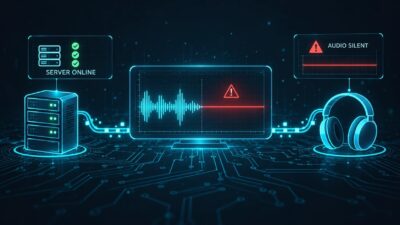
A stream can be online and still silent. The server answers, the player shows the station name, maybe even the current song title, and nobody hears a thing because a mixer channel is muted or the playout computer has frozen. A silence test listens to the stream like a listener would and tells you whether there is actually audio on it.
The free 20-second test on silencealarm.com does exactly that for Icecast, Shoutcast and HLS streams. You paste the address of your stream, wait a moment and see the result. You don’t need an account.
A few situations where that comes in handy:
- You want to make sure you have the right stream address before you set anything up. If you’re not sure which address to use, our guide to finding the right stream URL walks you through it.
- A listener writes in to say the stream is silent and you want to check from outside the studio.
- You’ve just fixed something and want to hear for yourself that the station is back on air.
The catch is that the answer only covers the moment you ran the test. A stream that sounds fine at 10 in the morning can go quiet overnight, when the automation is running and nobody is at the station.
What ongoing monitoring adds
Monitoring repeats the check on a schedule, day and night. When the stream goes quiet or drops out, you get an alert. When the audio comes back, a second message tells you things are back to normal. Nobody has to remember to tune in, and you aren’t relying on a listener to notice and tell you.
How often your stream is checked decides how quickly you hear about a problem. SilenceAlarm’s free plan checks one stream every 15 minutes and sends alerts to one email address. Pro costs $9 a month, covers up to ten streams and can check as often as every minute, with push alerts to your phone on top of email. If 15 minutes of dead air on your main stream is more than you can live with, say during a sponsored show, a shorter interval is the better fit.
The free plan doesn’t need a credit card. Once a month you confirm by email that you still want it to run.
Some programmes have long quiet stretches, like talk shows with pauses or classical music with soft passages. On Pro you can adjust how sensitive the silence alarm is, so those don’t set off alerts.
Can’t we just check it ourselves?
You can, and plenty of stations do. Someone tunes in a few times a day, or a volunteer with some technical know-how sets up a small script on a spare computer. That works as long as somebody remembers and the spare computer keeps running. Homemade setups also tend to listen from inside the station’s own network, where everything can sound fine while listeners outside get nothing. A hosted monitor takes that job off your list, and there’s nothing to install or look after at the station.
Studio detector, desktop app or online monitor
Many stations already have a silence detector in the studio, either a hardware box or a feature in the playout software. It watches the audio before it leaves the building. An online monitor listens to the public stream, so it also notices problems further along, for example when the connection to the streaming server breaks or the hosting provider has an outage. The two work well side by side.
If the audio you care about is on one computer, SilenceAlarm also has a Silence Detector app for macOS and iOS. It listens to the device’s audio or microphone and alerts you when it goes quiet, with no subscription. It’s meant for podcasters and hosts who want to know when their own feed goes silent. It doesn’t check what listeners receive from the stream.
Which one do you need?
Use the free test when your question is about right now, such as whether you have the right address or whether your fix worked. Use a monitor when the question is whether you’ll find out if the stream stops. For a single stream where up to 15 minutes of delay is acceptable, the free plan does the job. A main stream with sponsors, several streams or a lot of unattended overnight programming is a better match for Pro and a shorter interval.
An easy way to start is to test the address once and then create a free monitor with the same address. If the first real alert arrives later than you’d like, you know it’s time for a shorter interval.
FAQ
Is there a free online silence detector for radio streams?
Yes. The test on silencealarm.com listens to your public stream for 20 seconds and tells you whether there’s audio. It works without an account. The result only covers that moment.
Can I monitor a stream for free?
Yes, one stream. The free plan checks it every 15 minutes and sends email alerts to one address. You need an account and a monthly email confirmation, but no credit card.
How quickly will I hear about dead air?
That depends on how often the stream is checked: every 15 minutes on the free plan, as often as every minute on Pro. Getting the alert to you takes a little extra time.
Does an online monitor replace the silence detector in my studio?
No, they listen in different places. The studio unit hears the audio before it leaves the building. An online monitor hears what listeners get, so it also catches problems with the streaming server or the hosting.
Do I need technical knowledge to set it up?
Not really. You need the address of your public stream and an email address for alerts. Nothing has to be installed at the station.