

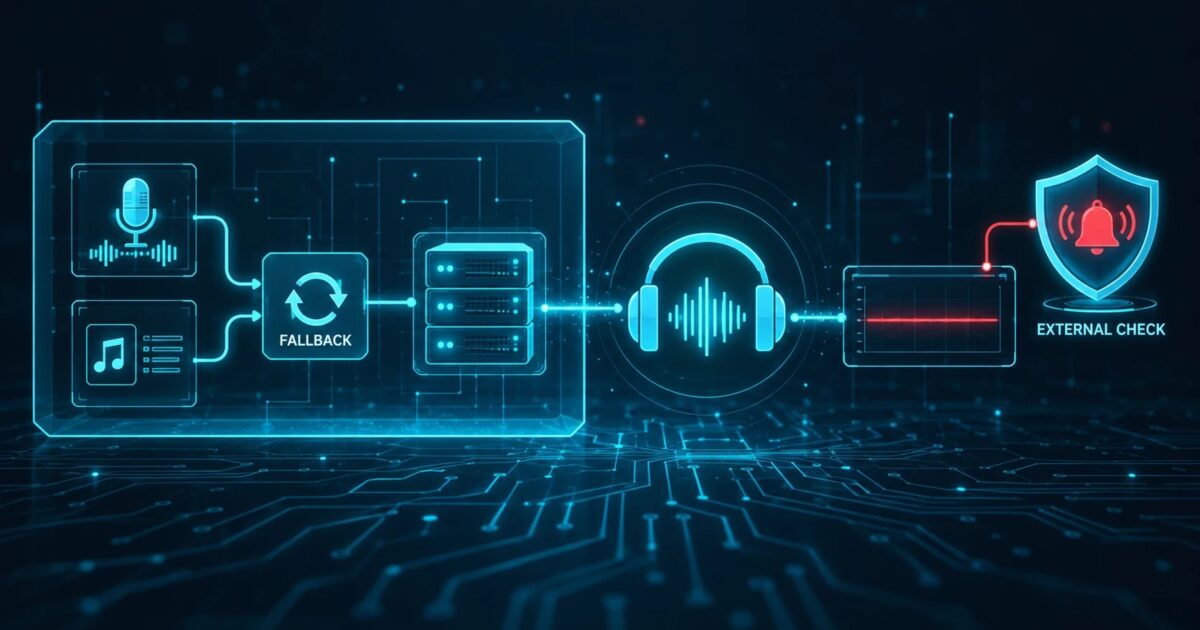
A lot of AzuraCast stations have never had a minute of true dead air, and their operators take that as proof the stream is healthy. Liquidsoap is very good at keeping something on the output. If the live DJ disconnects, AutoDJ comes back. If AutoDJ has nothing to play, a fallback file plays. The mount stays up and the listener count barely moves.
That is useful, and it is also the reason problems can run for hours without anyone noticing. A fallback keeps audio flowing. It does not tell you that it kicked in, and it cannot see anything that happens after Liquidsoap hands the audio to Icecast.
This post looks at what Liquidsoap and AzuraCast fallbacks handle, where they stop, and what an external check on the public stream URL adds. The Liquidsoap and AzuraCast details come from their public documentation and source code. Defaults change between versions, so check the version you actually run.
How Liquidsoap fallback works
Liquidsoap builds a station out of sources. The fallback() operator takes a list of sources and plays the first one that is available. A typical chain from the Liquidsoap cookbook looks like this:
live = blank.strip(max_blank=10., threshold=-50., input.harbor("live", port=8000, password="hackme"))
interlude = single("/path/to/interlude.mp3")
radio = fallback([live, music, interlude])
fallback() decides by availability. An input.harbor source is available while an encoder is connected to it. A playlist is available while it has a track ready. Liquidsoap does not judge whether the audio is good. A DJ who is connected and sending a muted mic is, as far as fallback() knows, a perfectly available source.
That is what the blank operators are for:
blank.stripmakes a source unavailable while it is streaming silence, so a fallback can move on to the next source. The cookbook example above drops the live input after 10 seconds below -50 dB.blank.detectleaves the audio alone and calls anon_blankhandler (andon_noisewhen sound returns). You can use it to log or trigger something.blank.skipandblank.eatskip or drop silent parts of a track.
In the current Liquidsoap source, these operators default to a threshold of -40 dB, max_blank of 20 seconds, min_noise of 0 seconds, and track_sensitive=true, which resets the blank counter at each new track. The cookbook itself says to fine tune threshold and length for your stream. If you want help picking those numbers, our post on silence detection thresholds without false alarms covers the tradeoffs.
One more detail from the docs: blank.strip is an active operator. It consumes its source continuously, even when the fallback is playing something else.
What AzuraCast does out of the box
AzuraCast writes the Liquidsoap configuration for you. Reading the config generator in AzuraCast’s public repository (main branch, October 2026) shows three layers that matter here.
First, live DJs. The harbor input for streamers is placed in a fallback ahead of AutoDJ (live_fallback). When a DJ connects, the station switches to them. When they disconnect, it goes back to AutoDJ.
Second, a last resort file. Near the end of the chain, AzuraCast wraps everything in azuracast.add_fallback(), which is a fallback() between your station and an error file. In the Docker image the default file is /usr/local/share/icecast/web/error.mp3, and a station can use its own fallback file instead. The error file is tagged with is_error_file metadata.
Third, remote relays. When a playlist is a remote stream URL, AzuraCast wraps the input in mksafe(buffer(...)). Liquidsoap documents mksafe as turning a source into an infallible one by adding blank when the source is not available.
Put together, that leaves some gaps worth knowing about:
- We did not find any
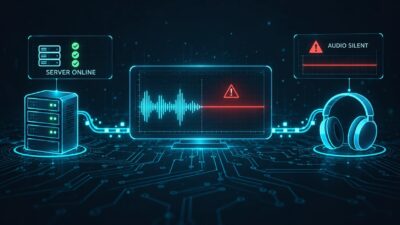
blank.stripon the live DJ input in the generated config. A DJ who stays connected while sending silence stays on air. The fallback switches on disconnect, not on dead audio. - If an upstream relay used as a remote URL playlist drops,
mksafefills the gap with silence. From the fallback’s point of view the source never went away, so nothing switches. - When the error file does play, the stream is not silent. A listener hears the same message on a loop, and a monitor that only measures audio level sees normal program.
AzuraCast lets you add your own Liquidsoap code in several sections of the config (for example before the live section and before broadcast), so you can add blank.strip or blank.detect yourself. Test it on a staging station first, because a wrong threshold will kick live DJs off during quiet talk.
Where in-process fallbacks stop
Even with perfect Liquidsoap tuning, every check above runs inside the same process that produces the stream. Liquidsoap sees what it sends. It does not see what listeners receive.
Some failures it cannot catch on its own:
- Liquidsoap itself crashes or hangs, or the Docker container restarts in a loop. Nothing is left running to fire
on_blank. - Icecast is down, the mount is gone, or the listener limit is reached. Liquidsoap may keep trying to connect while listeners get errors.
- The server or its network is unreachable from outside, or DNS, TLS, or a reverse proxy in front of Icecast breaks. Our post on using traceroute to debug stream dropouts goes into that side.
- A relay or CDN edge between Icecast and your listeners serves a stale or silent copy.
- Audio is fine inside Liquidsoap but wrong at the mount, for example because an output points at the wrong source, or because an out of phase stereo signal cancels out when a listener’s device plays it in mono.
Alerting has the same weakness. If you wire blank.detect to send an email or call a webhook, that alert only goes out while the machine and its network are healthy. It will catch a DJ who left the mic muted, but not a server that has gone away.
What an external monitor adds
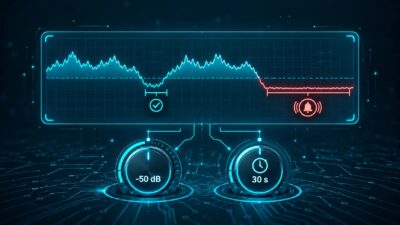
An external silence monitor connects to the public stream URL the same way a listener’s player does, from somewhere else on the internet. It decodes the audio and checks two things: whether the stream answers and delivers data at all, and whether the audio stays above a level floor for longer than a set duration.
That gives you a check on the result instead of on one stage of the chain. If Icecast returns an error, the stream URL times out, or the audio sits under the floor because a remote relay died and mksafe is padding with blank, the external check sees it. It also keeps working when the station server is completely down, because it does not run there.
Keep the Liquidsoap fallbacks anyway. They spare listeners the dead air while you work on the problem, and the external monitor is how you find out there is a problem to work on. Our older post on why additional webstream monitoring is needed makes the general case, and the Icecast silence detection guide covers bitrate and buffer checks on the Icecast side.
The error file loop is the hardest case. A level based monitor will hear audio and stay quiet. Two practical options:
- Make your fallback file short and follow it with real silence, so a long run of fallback still trips a duration based alarm. This trades a slightly worse listener experience for faster detection.
- Watch metadata. If the fallback file has distinct now playing metadata, a monitor or a script that reads Icecast’s status can flag it. AzuraCast already tags the file internally with
is_error_file, but whether that reaches the public stream metadata depends on your setup, so verify it before relying on it.
A setup that covers both sides
For an AzuraCast station with live shows, a reasonable baseline looks like this:
- Keep AzuraCast’s default fallback chain, and replace the stock error file with a station specific one so you recognize it immediately.
- If live DJs sometimes leave a silent connection open, add
blank.stripto the live input through a custom config section. Start with a longmax_blank(30 to 60 seconds) and a low threshold, then tighten it once you know how your shows sound. - Use
blank.detectfor local logging if it helps your team, but do not make it your only alert path. - Point an external monitor at the public mount URL listeners use, not at an internal port. Set the level and duration to your format.
- Send external alerts to a channel someone actually reads at night, and test it by muting the source on a test mount.
SilenceAlarm does step 4. It checks Icecast, Shoutcast, and other HTTP streams from outside your infrastructure, alerts by email, mobile push, SMS, or webhook depending on the plan, and lets you set the threshold and duration per monitor. Whatever tool you use, run the check that pages you somewhere other than the server it checks.
Quick reference
| Failure | Liquidsoap / AzuraCast fallback | External monitor on public URL |
|---|---|---|
| Live DJ disconnects | Switches to AutoDJ | Usually nothing to report |
| Live DJ connected but silent | Stays on air unless you add blank.strip | Alerts after the silence duration |
| AutoDJ has nothing to play | Plays the error file | Hears audio; needs metadata or a short file plus silence |
Remote relay drops (mksafe) | Pads with silence, no switch | Alerts on silence |
| Liquidsoap or container down | No process left to react | Alerts on stream offline |
| Icecast down or mount missing | Cannot help listeners | Alerts on HTTP error or timeout |
| Network, DNS, TLS, proxy issue | Not visible from inside | Alerts if the public URL fails |
The table reflects AzuraCast’s generated config as we read it in October 2026 and Liquidsoap’s documented operator behavior. If your station runs an older release or heavily customized config, run a mute test and a disconnect test and see what your listeners actually get.
1 Comment