
Technical · September 2026
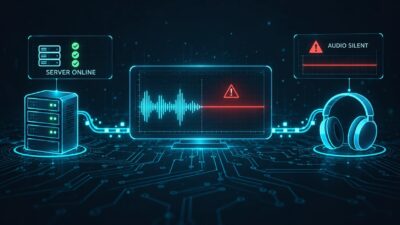
Your stream can answer HTTP 200 and still play nothing. The encoder is connected, the mount is up, Icecast or Shoutcast looks fine in the admin panel, and listeners hear dead air. Connectivity checks alone miss that case. Silence (or “dead air”) monitoring listens to the audio and alerts when levels stay below a threshold for too long.
This guide compares tools that watch Icecast, Shoutcast, and similar HTTP audio streams for silence, uptime, or both. Prices and plan limits change; figures below come from each vendor’s public pages around September 2026. Where a detail is not published, it is marked as such rather than guessed.
What to evaluate
Before you pick a product, decide which of these matter for your station:
- Silence vs connectivity only: does the tool analyze audio levels, or only whether a listener can connect?
- Check interval: how often does it probe the URL? One minute and fifteen minutes feel very different at 3 a.m.
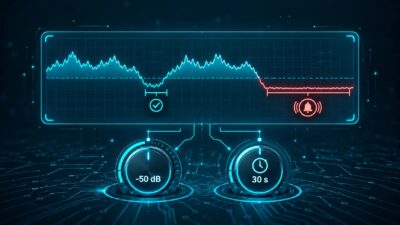
- Thresholds: can you set dB level and silence duration so talk gaps or song fades do not spam you?
- Alert channels: email alone, or SMS, push, Slack, PagerDuty, webhooks?
- Multi-stream: one mount, or several stations and backups from one account?
- Protocol support: Icecast, Shoutcast, plain HTTP, HLS, RTMP?
- Price honesty: free tier limits, what silence detection actually costs, and what is enterprise-only.
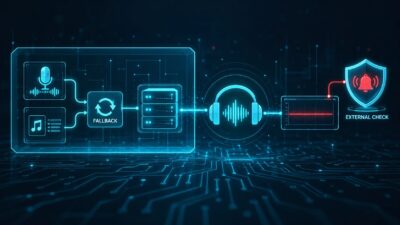
A hosting provider’s own “stream online” light is useful. It still sits inside their network. An external monitor that hits the same public URL your listeners use catches a different class of failure.
SilenceAlarm
SilenceAlarm is a cloud silence and stream monitor for live audio. You paste a stream URL; it watches for silence and offline states and alerts from a dashboard. Nothing to install on your Icecast or Shoutcast server.
It covers both silence and offline detection. Paid plans let you set silence threshold and duration. The product site lists Icecast, Shoutcast, HLS, and other HTTP streams.
The free plan checks every 15 minutes, with one monitor, one email alert address, basic silence detection, a dashboard, community support, and a monthly email confirmation requirement. Pro is $9/month for up to 10 monitors, custom check intervals from 1 to 60 minutes, advanced silence detection with custom thresholds and durations, email and mobile push, reporting, metadata audit and export, EBU128 metrics, and priority support. Enterprise is custom and adds SMS, API integration including webhooks, stream/audit recording, multi-region monitoring, SLA options, and related extras.
This fits stations that want silence-first monitoring without an on-server agent, a free tier to try one stream, and Pro when they need faster checks or more mounts without buying stream hosting from the same vendor.
Radio Mast
Radio Mast Stream Monitoring covers Icecast, Shoutcast, Rocket Streaming Audio Server (RSAS), and other HTTP/ICY audio streams. You can monitor streams hosted on Radio Mast or external URLs.
Basic monitoring is uptime and alerting. Advanced adds silence detection. Checks run about once per minute. Docs describe connection tests plus optional silence: default about -40 dB RMS, with 10 consecutive seconds of low audio treated as silence (within a roughly 15-second listen window each minute). Per stream you can set threshold from -20 to -60 dB and duration from 5 to 30 seconds.
Alerts go to email, Slack, PagerDuty, and custom webhooks. Alerting policies can escalate as downtime lasts longer. The pricing page lists unlimited contacts on these monitoring plans. Failed checks include diagnostic detail; detected silence can be recorded for audit. Uptime is shown for 24 hours, 7 days, and 30 days. Event history retention is listed as 90 days (docs also say up to about three months).
Public pricing: Basic $5/month for uptime, Advanced $10/month for uptime plus silence. Radio Mast bills by the hour with monthly caps across its products.
Pick this if you want about one-minute resolution, Slack or PagerDuty escalation, silence clips for post-mortems, and the option to host streams with the same vendor.
CloudRadio free monitoring
CloudRadio offers free monitoring for Shoutcast, Icecast, or HLS streams, plus other HTTP audio URLs. Hosted CloudRadio radios get monitors created automatically; you can also add external public URLs.
Statuses are separate: Up, Down (unreachable), and Dead Air (server online but silence). Checks run about every 60 seconds. Status only flips after three consecutive failed checks, which reduces noise from brief network hiccups.
Email covers down, recovered, dead air, and dead air cleared. Alerts start off by default; you enable “Notify account holder” and optional extra recipients on the monitor page. There is an optional website status banner that appears when the stream is down or in dead air, with a dashboard field for a listener-facing message. The dashboard shows roughly the last hour of checks; check data is retained 365 days for incidents. Rolling uptime percentage was listed as coming soon in their help docs at the time of writing.
Monitoring is free. Exact silence dB and duration controls are not spelled out on the marketing and help pages reviewed for this article.
This is a practical $0 option when you want both outage and dead-air labels, including competitor public streams on one board, and email plus a public status banner is enough.
StreamGuys IsMyStreamUp
IsMyStreamUp is StreamGuys’ CDN-neutral alerting service. You can monitor streams on any provider. A 2025 rebuild (IMSU 2.0) refreshed the UI and alerting; the public site still publishes the package pricing below.
Availability Checks watch for dropped streams (encoder gone, host down). Silence Monitors listen for levels below your dB threshold for a set duration. Site copy says silence works on HLS, Icecast, Shoutcast, and RTMP. Availability Checks are described as audio Icecast/Shoutcast plus web page checks; their FAQ says that narrower set is intentional for cost and reliability.
Availability defaults to a 5-minute interval; one-minute upgrades are an add-on. Silence is described as continuous monitoring against your threshold and duration. Contacts are unlimited; email and SMS are available (SMS depends on wireless provider). Multi-region nodes for availability help spot regional or geo-restriction issues.
Base package: $10/month for 4 Availability Checks, unlimited contacts, 5-minute default, all regions. Add-ons include $10 Silence Monitors per region, $2 per extra Availability Check, and $2 for one-minute check upgrades. The FAQ notes that some dashboard changes (for example adding a contact) can change the subscription cost immediately on a pro-rated basis, so read their billing FAQ before scaling contacts.
This fits teams that want SMS, multi-region availability, or RTMP/HLS silence under a provider-neutral brand and are willing to add up silence and interval costs separately.
Dead Air Monitor
Dead Air Monitor combines connectivity checks with deeper audio analysis for silence. Docs describe quick HTTP checks and deeper audio analysis lasting about 20 seconds, with multi-region workers and confirmation on a second worker to cut false positives.
Both connectivity and silence run on plan-dependent schedules. Stream types (Music, Talk, Hybrid) change how aggressive silence detection is, so talk pauses and song gaps behave differently.
Published intervals: Free connectivity every 30 minutes and silence every 60 minutes; Basic 10 and 20 minutes; Professional 2 and 4 minutes; Enterprise 1 and 2 minutes. If connectivity fails, a silence deep check can run immediately for confirmation.
Alerts: email on Free; Pushover on paid tiers; webhooks from Professional; API on Enterprise.
Published prices: Free (1 stream, 1 day of history); Basic $1.99/month (1 stream, 7 days); Professional $3.49/month (2 streams, 28 days); Enterprise $4.99/month (3 streams, API, 60 days history). A Custom tier lists priority support, SLA, and related extras. Exact numeric dB fields beyond the stream-type presets were not fully documented on the public pages used here.
The paid ladder is inexpensive on paper. Match the silence check interval to how fast you must wake someone; Free and Basic are slow for overnight unattended shows.
Qosifire (QoE and HLS context)
Qosifire is a broader streaming quality platform. You install a monitoring agent, then configure streams in their console. It belongs in this list because Icecast silence detection is documented, while the product’s main push is HLS QoS and QoE: playlists, chunks, buffering, and timestamp sync. It is not a lightweight “paste URL, get dead-air email” radio tool.
For Icecast, docs include a silence detection option with noise threshold, duration threshold, and optional per-channel checks. Notifications go by email and mobile push to eligible users. The HLS product page focuses on connectivity and HLS-specific errors; silence is not the headline there.
Public list pricing was not verified for this article; packaging often looks quote-based for this class of tool.
Choose Qosifire if you already instrument video or HLS delivery and want agent-based Icecast quality checks in the same stack. Skip it if you only need external dead-air alerts for a couple of radio mounts.
Comparison summary
| Tool | Silence? | Typical check pace | Notable alerts | Multi-stream (public) | Ballpark price | Protocols (claimed) |
|---|---|---|---|---|---|---|
| SilenceAlarm | Yes | 15 min free; 1-60 min Pro | Email; push on Pro; SMS/API on Enterprise | 1 free / 10 Pro | Free; Pro $9/mo | Icecast, Shoutcast, HLS, HTTP |
| Radio Mast | Optional (Advanced) | ~1 min | Email, Slack, PagerDuty, webhook | Per monitored stream | $5 basic / $10 advanced | Icecast, Shoutcast, RSAS, HTTP/ICY |
| CloudRadio | Yes (Dead Air status) | ~60 s; 3 fails to alert | Email (opt-in) | Multiple URLs | Free | Icecast, Shoutcast, HLS, HTTP |
| IsMyStreamUp | Add-on Silence Monitors | 5 min default avail.; 1 min add-on | Email, SMS; multi-region | 4 avail. checks in base | $10 base + silence/region add-ons | Icecast/Shoutcast avail.; silence also HLS/RTMP |
| Dead Air Monitor | Yes (deep checks) | 30-60 min free up to 1-2 min Enterprise | Email, Pushover, webhook, API | 1-3+ by plan | Free to about $5/mo listed tiers | Audio streams (URL-based); see their docs |
| Qosifire | Icecast option | Agent continuous | Email, push | Agent/console model | Unverified publicly here | Icecast + strong HLS QoE |
Who should pick what
If you need a free silence and outage check today, CloudRadio is the clearest both-statuses option at $0 when email and a three-strike rule work for you. SilenceAlarm’s free plan is the simplest silence-focused tryout (one stream, 15-minute interval). Dead Air Monitor’s free tier works if slow checks are acceptable while you learn the product.
If you need about one-minute ops with Slack or PagerDuty, Radio Mast Advanced is built for that, including silence recordings and uptime percentages.
If you need SMS, multi-region availability, or RTMP/HLS silence under a CDN-neutral brand, price out IsMyStreamUp carefully (base plus silence per region plus interval upgrades).
If you want cheap paid plans with music/talk presets, Dead Air Monitor’s Basic through Enterprise ladder is explicit on the pricing page. Match the silence check interval to how fast you must wake someone.
If you are already deep in HLS QoE with agents, look at Qosifire for Icecast silence as part of a larger quality stack, not as a radio-only dead-air pager.
If you want silence-first SaaS with a Free to Pro path and no requirement to buy hosting, SilenceAlarm is built for that: one URL, silence and offline alerts, then Pro when you need up to ten monitors, faster intervals, push, and richer reporting.
Try SilenceAlarm if this matches your setup
If your usual failure mode is “the mount is up but the audio died,” start on the SilenceAlarm free plan: one monitor, basic silence detection, email alerts, 15-minute checks. When you need tighter intervals, more streams, or mobile push, Pro is $9/month for up to ten monitors and custom 1-60 minute checks. Enterprise covers SMS, API/webhooks, and higher-volume needs.
Point the monitor at the same public stream URL your listeners use, so you see what they hear when the studio feed goes quiet.