

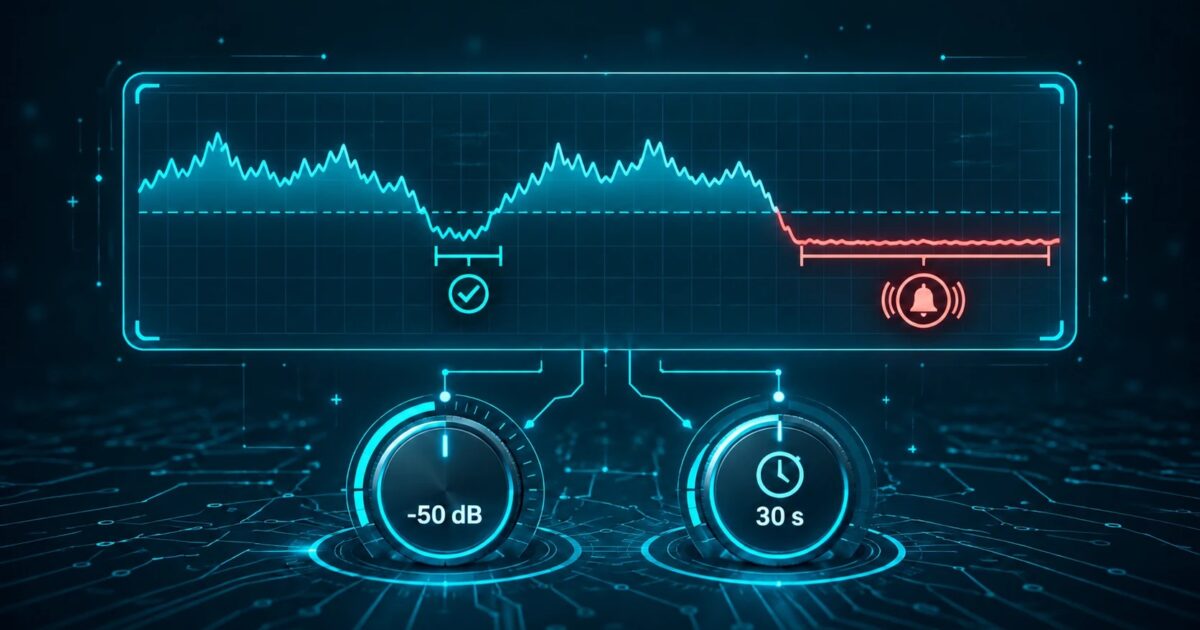
Your stream monitor fires at 2 a.m. You open the dashboard. The mount is up. The encoder is connected. Nobody is on the phone. The alert was a quiet bridge in a classical playlist that dipped under your dB floor for 45 seconds.
Silence detectors fail this way more often than by missing dead air. Too many false pages and the night engineer mutes the alert channel. Thresholds exist so the monitor matches how your station actually sounds, not a lab recording of pure silence.
This guide covers level and duration settings, talk breaks versus true dead air, encoder reconnect gaps, soft passages, hysteresis, and combining HTTP checks with audio levels. The numbers below are operational starting points from common broadcast practice, not guarantees for every format. Tune them against your own logs.
What a silence threshold actually measures
Most stream monitors decode a short stretch of audio from the public URL and compare its level to a floor, often expressed in dBFS (decibels relative to full scale). When the level stays below that floor for longer than a duration you set, the monitor counts silence and sends an alert.
Two knobs do most of the work:
- Level: how quiet is "too quiet" (for example -40 dB, -50 dB, -60 dB)
- Duration: how long that quiet stretch must last before an alert (for example 15 s, 30 s, 60 s)
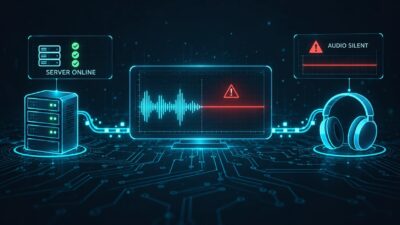
Better setups also check whether the HTTP stream is reachable and delivering data. Audio level alone cannot tell you whether Icecast returned 404 or whether the encoder simply sent near-zero samples.
SilenceAlarm and similar tools let you set both the dB floor and the silence duration per monitor. Exact defaults differ by product. Treat any figure in this article as a starting point to validate on your own streams.
Why too-sensitive alerts get ignored
Ops teams ignore noisy alerts. After the third false alarm in a week, the SMS route moves to a folder, the Slack channel gets muted, and the next real outage waits for a listener complaint.
Common sources of false positives:
- Song fades and gaps between tracks in automation
- DJ talk breaks that drop music under the threshold while the mic is open elsewhere
- Classical, ambient, jazz, and overnight automation with long soft passages
- Stereo imbalance where one channel is near silent
- Encoder reconnects that insert a short mute while the source reconnects to Icecast or Shoutcast
- Very low overnight automation levels that sit close to the noise floor
Turning monitoring off is the wrong response. Raise the duration, lower the sensitivity (a more negative dB floor means quieter audio is still allowed), or add a second signal so level alone cannot page you.
Level: picking a dB floor that fits the format
Absolute "correct" dB values depend on how loud your stream is mastered and how the monitor measures level (peak, RMS, or similar). Use these as order-of-magnitude starting points, then verify with a known quiet segment and a known dead-air test.
| Format / situation | Typical starting level | Notes |
|---|---|---|
| Hot CHR / talk with compression | Around -35 to -45 dB | Program is loud; short dips are rare |
| Mixed music radio | Around -40 to -50 dB | Common middle ground |
| Classical / ambient / soft overnight | Around -50 to -60 dB | Soft passages are normal program |
| Very dynamic / live acoustic | Prefer longer duration over a higher floor | Avoid chasing every pianissimo |
If you set the floor too high (too close to 0 dB), normal quiet parts of songs look like silence. If you set it too low (very negative), true dead air with residual hiss or digital dither may never trip the alert.
When you change the floor, keep a short note of the old value and the date. Stations rarely remember why -48 dB was chosen six months later.
Duration: talk breaks versus dead air
Duration is usually the better first lever than level. A 5-second silence threshold will fire on almost every stopset transition. A 30- to 60-second threshold ignores most talk gaps and still catches a dead mount that sits quiet for minutes.
Practical patterns many stations use:
- Aggressive (live shows, high stakes ads): 15 to 30 seconds
- Standard music automation: 30 to 60 seconds
- Soft / overnight / classical: 60 to 120 seconds
- Encoder-aware: at least a bit longer than your worst reconnect gap
Ask what "dead air" means for your operation. For many commercial stations, 30 seconds of unintended silence is already a problem. For a late-night ambient stream, two minutes of near-silence might be the playlist.
Also separate intentional silence from failure. Some stations insert a short mute between tracks. Some legal IDs sit in a quiet bed. Your duration should sit above those intentional gaps and below the point where listeners assume the stream is broken.
Encoder reconnect gaps and online-but-silent streams
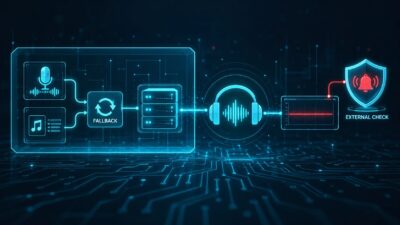
Icecast and Shoutcast can keep a mount "up" while the source encoder drops and reconnects. During that window listeners often hear silence or a stuck buffer. A pure HTTP uptime check may still return 200 with headers. A pure silence check may fire even when the reconnect is expected and short.
Two habits help:
- Set silence duration longer than a typical reconnect (measure a few reconnects during maintenance if you can).
- Pair audio silence with a transport check: HTTP status, bitrate, or buffer signals where the platform exposes them.
If reconnects regularly last 20 to 40 seconds, a 15-second silence alert will look like a flaky product. Raise duration, or schedule maintenance windows when you expect reconnect noise.
Soft passages, classical, and overnight automation
Classical and ambient formats break naive silence detectors. A pianissimo string passage can sit under -50 dB for longer than a pop song ever does. Overnight automation may run lower average levels than daytime drive.
Options that usually work:
- Use a lower (more negative) level floor for that monitor
- Stretch duration to 60 to 120 seconds
- Prefer RMS or averaged level over a single peak sample if your tool offers it
- Run a separate monitor profile for the overnight stream if levels differ a lot from daytime
Do not copy a CHR station's thresholds onto a classical mount and expect peace. One URL, one format profile.
Hysteresis: stop the alert flapping
Hysteresis means the condition to clear an alert is not identical to the condition that raised it. Example: alert when level stays below -45 dB for 45 seconds; clear only after level stays above -40 dB for 15 seconds.
Without hysteresis, a stream that hovers near the threshold can open and close tickets every minute. Not every product exposes a named hysteresis control. When yours does not, approximate it with a longer duration and a slightly more conservative level, or by rate-limiting alerts (one page per N minutes for the same monitor).
Multi-check: HTTP up plus audio level
Stream monitoring answers two questions:
- Can a listener reach the stream URL?
- Is audible program present?
Each failure mode points to a different fix:
- HTTP down, audio N/A: outage or DNS/routing problem
- HTTP up, audio silent: encoder mute, wrong mount, automation stuck, or dead source
- Both OK: you may still have wrong metadata or regional routing issues, but you are past the basic dead-air case
SilenceAlarm's product framing (and the earlier blog post on Icecast bitrate, buffering, and metadata) treats silence thresholds as one layer of the monitor, not the whole stack. If your tool only offers one check, pick silence for listener-facing dead air and keep a separate uptime check if you can.
A tuning loop that does not take a week
- Pick starting level and duration from the tables above for your format.
- Run for several days with alerts going somewhere humans will see them (not a black-hole inbox).
- Label each alert: true dead air, talk/fade, reconnect, soft program, or unknown.
- If most alerts are talk/fade/soft program, increase duration first; change level second.
- If you missed a real outage that stayed quiet, decrease duration or raise the floor carefully.
- Write the final pair on the monitor notes: e.g. "-48 dB / 45 s / overnight classical / tuned 2026-09".
Keep one intentional test: mute the source or stop the encoder during a controlled window and confirm the alert fires within the expected duration. Untested thresholds are guesses.
What good looks like after tuning
You want few alerts, and almost all of them actionable. A quiet week with zero pages can mean healthy streams or a threshold so loose it will miss a real mute. The controlled mute test is how you tell the difference.
For multi-station groups, give each format its own threshold pair instead of one global policy. The overnight ambient feed and the morning talk show should not share the same 15-second trigger.
Where to start tomorrow
If you already monitor Icecast or Shoutcast URLs externally, open your silence settings and write down level, duration, and the last false-alarm reason. Adjust one knob, not three, then re-check after a few days. SilenceAlarm supports configurable dB and duration on paid plans if you want that tuning without running the detector on your own server.
Thresholds will not replace backups, failover playlists, or an awake engineer for every failure mode. They do decide whether your silence alerts stay useful at 2 a.m. or get muted for good.
1 Comment